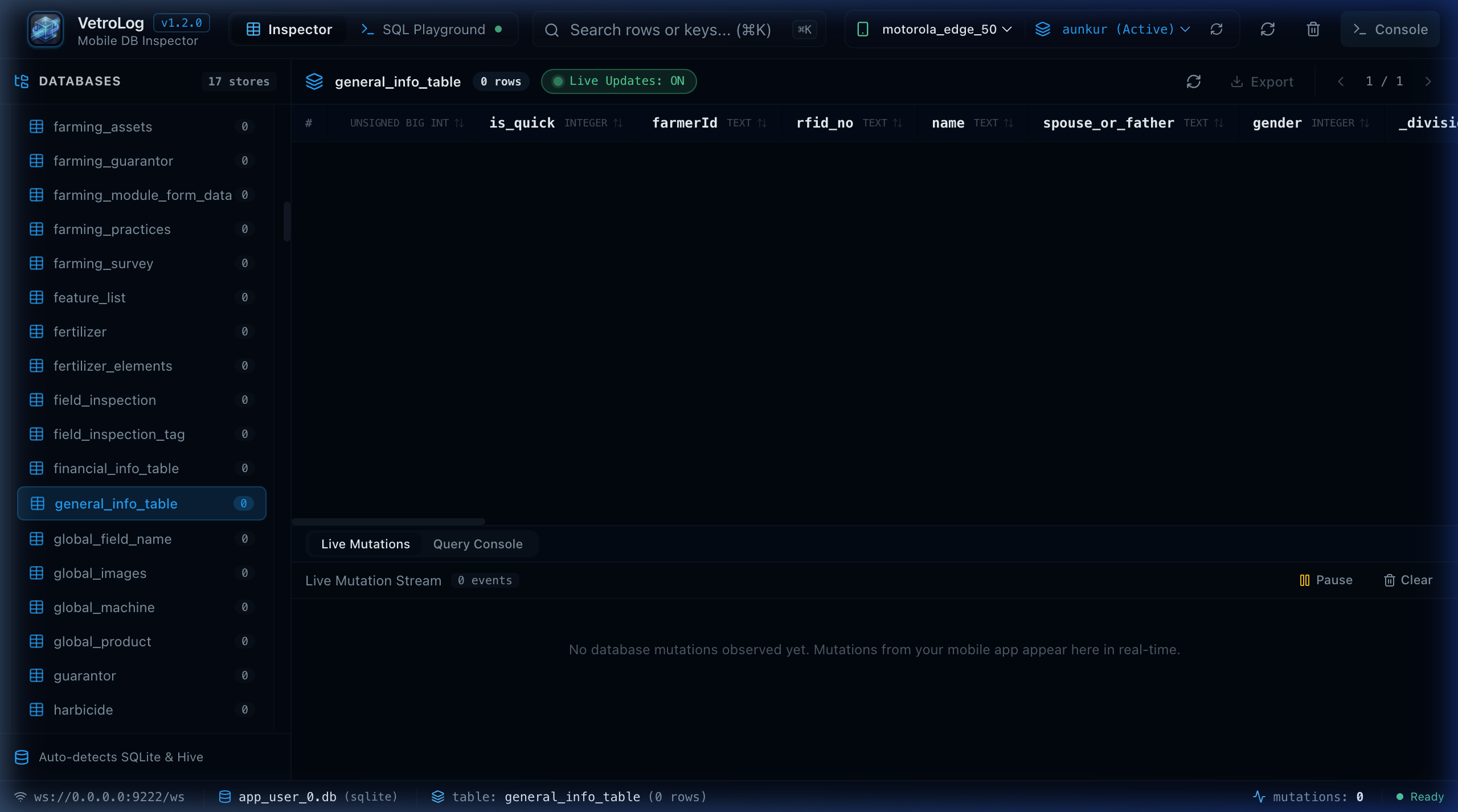
What is VetroLog?
Mobile database debugging has historically been painful. Traditional inspection approaches force developers into frustrating compromises:
- Third-Party SDK Overhead: Tools like Facebook Flipper or Chrome Stetho require adding heavy dependencies into your mobile app, configuring network listeners, and risking leaks in production builds.
- Manual Device Pulls: Using
adb exec-out run-as <package> cat databases/... > local.dbrequires repeating command-line scripts, breaks whenever WAL files change, and cannot write edits back to the device. - Emulator Only Limitations: Many desktop database viewers only work with rooted emulators or unencrypted file systems.
🎯 The VetroLog Philosophy: Zero Code, True Live Inspection
VetroLog was built to eliminate these hurdles. It operates on three core principles:
graph LR A[Mobile App: Flutter / Android / React Native] -->|Standard Debug Build| B(Phone Sandbox) C[VetroLog Desktop / Web] -->|Android Debug Bridge run-as| B C -->|Bidirectional Sync| B1. Zero Code Modification
You do not need to install an SDK or write a single line of boilerplate. VetroLog leverages Android’s secure run-as mechanism over ADB, allowing it to inspect any debuggable application (android:debuggable="true").
2. Native Multi-Platform Desktop & Web Core
Built with Go 1.26 on the backend and React 19 / TypeScript on the frontend via Wails v2, VetroLog runs as an ultra-fast, lightweight native desktop app on macOS, Windows, and Linux, and can also run in standalone Web Server mode (./vetrolog --web).
3. Active Real-Time Write-Ahead Log (WAL) Monitoring
SQLite modern mobile applications use WAL mode (-wal and -shm files). When your mobile app executes an insert or update query on your phone, VetroLog automatically detects the file timestamp change and updates your screen in real time.
📊 Feature Comparison Matrix
| Capability | VetroLog | Stetho | Flipper | DB Browser for SQLite |
|---|---|---|---|---|
| Zero App Code Required | ✅ Yes | ❌ No (SDK required) | ❌ No (Plugin required) | ✅ Yes |
| Real-Time WAL Auto-Sync | ✅ Yes | ❌ No | ⚠️ Partial | ❌ No (Static file) |
| Bidirectional In-line Editing | ✅ Yes | ⚠️ Read-mostly | ⚠️ Read-mostly | ❌ Offline only |
| Visual EXPLAIN Plan Tree | ✅ Yes | ❌ No | ❌ No | ⚠️ Raw text |
| Natural Language AI (Gemini 2.5) | ✅ Yes | ❌ No | ❌ No | ❌ No |
| Mobile 60 FPS Profiler | ✅ Yes | ❌ No | ❌ No | ❌ No |
| Safe Transaction Dry-Run | ✅ Yes | ❌ No | ❌ No | ❌ No |
| Multi-Platform Code Generator | ✅ Yes | ❌ No | ❌ No | ❌ No |
| Native macOS, Win, Linux & Web | ✅ Yes | ❌ Chrome only | ⚠️ Electron | ⚠️ Desktop only |
Next Steps
- Ready to install VetroLog? Check out the Installation Guide.
- Have VetroLog installed already? Jump directly to the 3-Minute Quick Start.