
Live Table Inspector
The Live Table Inspector is VetroLog’s primary viewing workspace, designed for inspecting large mobile SQLite tables with zero lag.
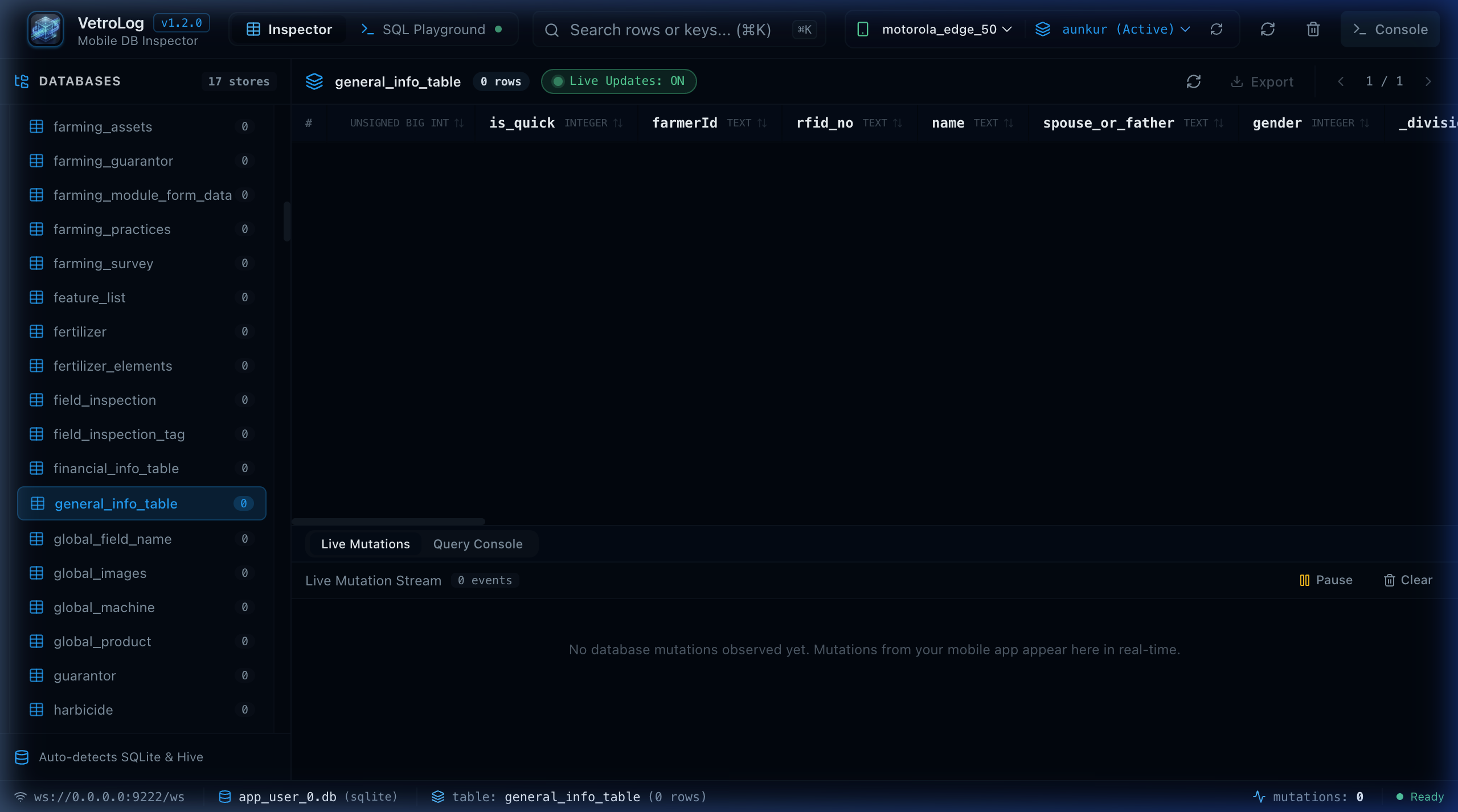
🗂️ Sidebar Database Tree & Row Badges
The left sidebar displays all discovered databases, XML shared preferences, and tables:
- Real-Time Row Count Badges: Every table displays an automatic badge with the exact number of rows (e.g.
42 rows). - Table Type Icons: Distinct visual indicators for SQLite tables, views, and SharedPreferences files.
- Instant Expansion: Expand and collapse databases with a single click.
🔍 Instant Search & Filtering (⌘K)
Press ⌘K (macOS) or Ctrl+K (Windows/Linux) or click the search box in the header toolbar to activate live client-side filtering:
- Matches text across all columns simultaneously.
- Highlighting matches in real time without triggering slow remote queries.
- Ideal for quickly searching specific IDs, emails, timestamps, or status flags.
📊 Pagination & Large Dataset Optimization
Mobile tables can contain tens of thousands of rows (e.g., cached offline analytics, chat logs, or geographic coordinates).
VetroLog handles large datasets efficiently:
- Page Sizes: Choose between 50, 100, or 250 rows per page using the pagination controls in the upper right.
- Offset Pagination: Automatically executes optimized
LIMIT ? OFFSET ?queries behind the scenes. - Zero UI Freezes: Virtualized table rendering ensures 60 FPS scrolling even with hundreds of rows.
🔄 Column Sorting & Type Formatting
- Ascending & Descending Sort: Click any column header to sort rows by that column. Click again to invert sort order.
- Primary Key Highlighting: Primary key columns are tagged with an amber
PKbadge for easy identification. - Data Formatting:
- Integers & Floats: Cleanly right-aligned and formatted.
- Strings: Displayed with text truncation and tooltip inspection for long paragraphs.
- BLOBs: Formatted as readable hex indicators with byte size summaries.
- NULL Values: Visually distinguished from empty strings with italicized muted tags.
Next Steps
- Learn how Real-Time WAL Sync updates table rows instantly when your mobile app writes data.
- Learn how to edit or delete records in Bidirectional Data Editing.