React Native Database Guide
React Native applications commonly use SQLite for high-performance offline persistence. Popular libraries include react-native-sqlite-storage, op-sqlite, expo-sqlite, and WatermelonDB (which runs on an SQLite foundation).
VetroLog supports all React Native SQLite libraries on Android seamlessly with zero native configuration.
📂 React Native SQLite Storage Paths
React Native SQLite libraries store databases in standard Android app sandbox locations:
/data/data/<package_name>/databases/<database_name>.db/data/data/<package_name>/databases/<database_name>.db-walWhether you create your database with SQLite.openDatabase({ name: 'my.db', location: 'default' }) or via op-sqlite’s native JSI engine, VetroLog locates and tracks the database automatically.
🚀 Running Your React Native App
- Ensure your Android device or emulator has USB Debugging enabled.
- Launch your React Native app in debug mode:
Standard React Native CLI:
npx react-native run-androidExpo (Prebuild / Dev Client):
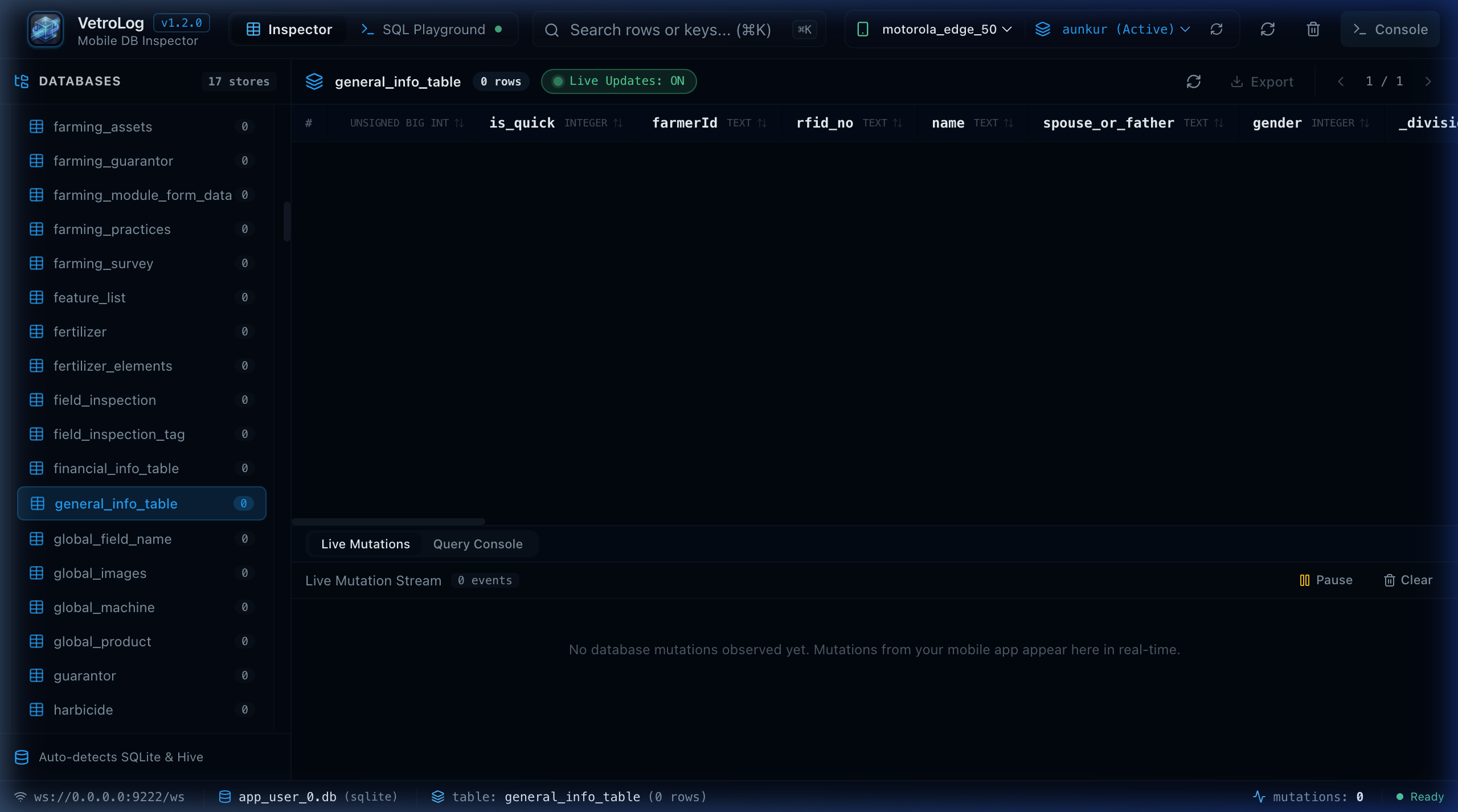
npx expo run:android- Open VetroLog.
- In the top bar, select your connected device and choose your React Native package name (e.g.
com.myawesomeapp (Active)). - All SQLite tables created by your React Native components will load in the sidebar.
⚡ Working with WatermelonDB
WatermelonDB is a popular reactive database for React Native that uses SQLite as its low-level storage engine.
- Inspecting Collections: WatermelonDB maps collections directly to SQLite tables. You can inspect all model instances and relations inside VetroLog’s DataGrid.
- Inspecting Sync State: WatermelonDB maintains internal sync queues and deleted record tables. VetroLog makes it easy to view pending sync mutations when troubleshooting offline sync.
Next Steps
- Master multi-tab query execution in the SQL Playground Overview.
- Learn how 1-Click Index Advisor speeds up slow list views.